

Bivariate
An opinionated interface for writing, running, and saving BackstopJS tests
An opinionated interface for writing, running, and saving BackstopJS tests, aimed at making visual regression testing approachable for projects of any size without overwhelming complexity. It enforces a grouping structure and lets tests be written as manageable JavaScript object files rather than a single BackstopJS JSON config, while exposing all of BackstopJS’s commands through the interface. All tests, scripts, and configuration live under a bivariate_data folder, with separate areas for test scripts, Puppeteer engine scripts that interact with the Chrome DOM before screenshots, and an archive of reference bitmaps. It runs on Node and headless Chrome, and is typically installed globally via npm.
Installation
Bivariate runs in Node.
-
Install NodeJS
-
Install the Latest version of Bivariate via NPM.
It is recommended to install Bivariate globally, but it can run locally if required:global install (recommended):
npm install bivariate -glocal install:
npm install bivariate -
Ensure you have version 59 or greater of Chrome installed. Bivariate utilizes headless Chrome which started shipping in Chrome v59
-
From your project directory, run Bivariate:
if installed globally:
bivariateif only installed locally:
npx bivariate -
Generate
bivariate_data:
If Bivariate doesn’t detect any existing Bivarte tests it will ask you would like to generate the starting configuration files.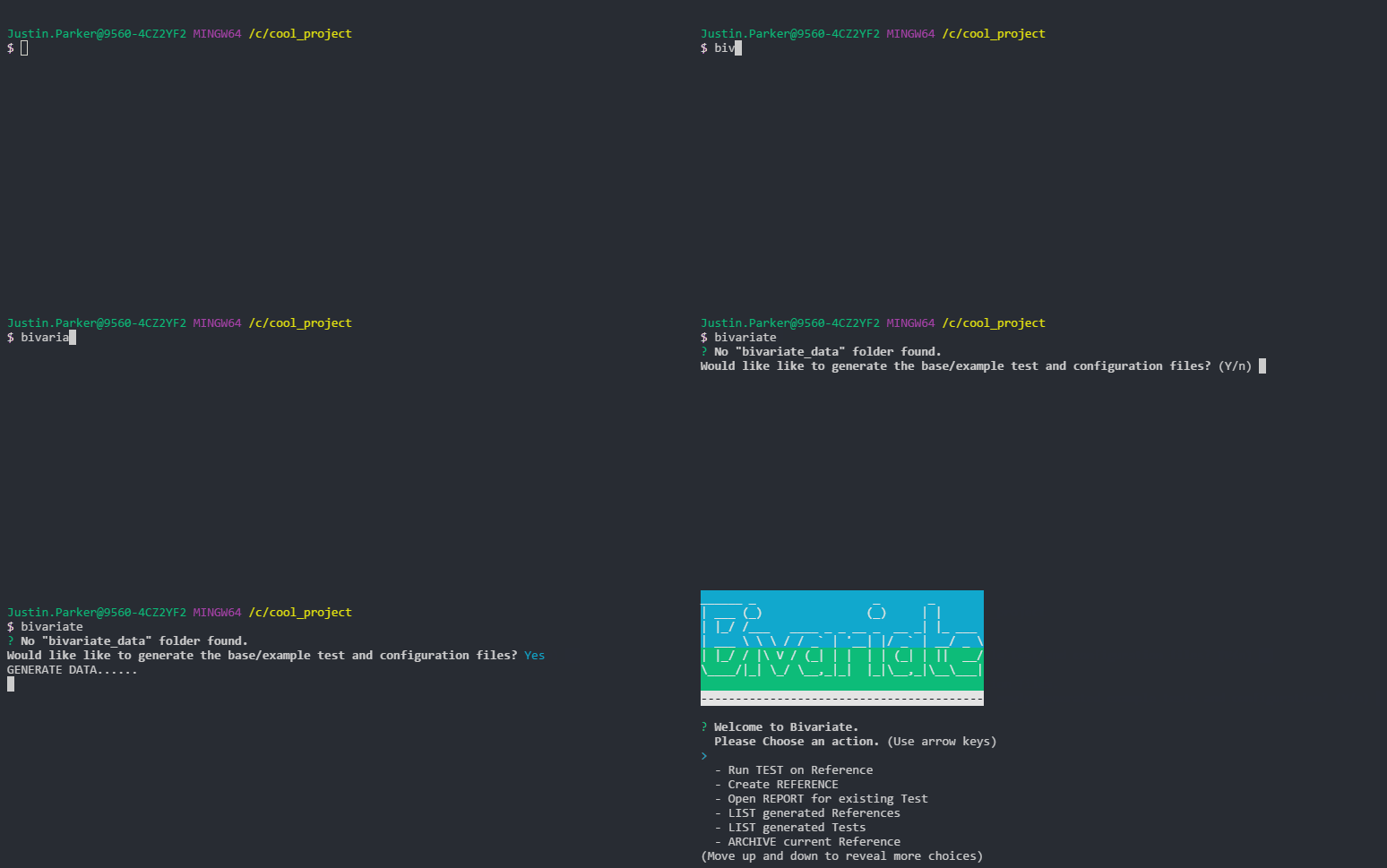
Related\\

add-block-to-hosts
A PowerShell script to block websites and domains by adding entries to your Windows hosts file.

ai-assist-skills
A collection of AI agent skills that automate recurring engineering workflows that can be installed across multiple AI coding assistants.

ai-skill--git-worktree
Interactive installer for Git Worktree Management skill. Creates proper SKILL.md files following the Agent Skills standard.